Accounts payable automation: invoice matching done in minutes, not days
An AI powered accounts payable tool that reads supplier invoices as they arrive by email, extracts the fields a person would read, matches them against your purchase orders and creditor ledger, and hands your finance team a clean list of what to post and what needs a second look. Self hosted on your own server or managed in the cloud, on your own Microsoft 365 tenant either way.
Last updated
- Reads from
- Microsoft 365 mailboxes
- Matches against
- Purchase orders and creditor ledger
- Runs
- Self hosted or managed cloud
- Your data
- Stays in your tenant
The problem it solves
Most finance teams still process supplier invoices by hand. For every invoice, someone has to open the email and the PDF, read off the invoice number, date, supplier, PO number and amounts, check the ledger to make sure it has not already been posted, find the PO in the ERP and confirm the goods were receipted, check net, VAT and gross against the PO, post the invoice with the document attached, and file the email.
Done carefully, that is five to ten minutes per invoice when everything matches, and double that when a PO is missing, the amounts differ or the supplier name does not quite line up. A team receiving 25 to 30 invoices a day loses two to three hours of every day to it before a single exception is chased.
The hidden costs are worse than the time.
- Duplicates slip through because the ledger check gets skipped under pressure.
- Exceptions sit in the inbox with no owner and no deadline.
- Statements, remittances and portal notifications get mixed in with real invoices.
- Nobody can see the backlog until month end.
The tool removes the reading, checking and sorting. Your team starts from a list that is already matched, already deduplicated and already prioritised.
Who it is for
Finance and accounts payable teams in businesses that:
- Receive supplier invoices by email into one or more shared mailboxes.
- Raise purchase orders in an ERP and receipt goods against them.
- Run a creditor ledger in an accounting package such as Sage.
- Process anywhere from 20 to several hundred invoices a day.
- Have one or two people carrying the accounts payable workload and want to free them for higher value work.
- Are UAE businesses preparing for mandatory e-invoicing and need invoice matching on top of their Accredited Service Provider.
It suits sectors with PO driven purchasing and high invoice volume: plant and equipment hire, construction, distribution, facilities and manufacturing.
It is not aimed at businesses with a handful of invoices a month, or at those with no PO process to match against. If that is you, we will say so on the first call.
What it does
Reads every invoice automatically
Connects to your Microsoft 365 mailboxes and picks up new emails and attachments as they land. Every folder is covered, so your existing inbox rules keep working.
Understands what it is looking at
Each attachment is classified as an invoice, credit note, supplier statement, remittance advice or portal notification. Signature images and logos are filtered out. Only real documents move forward.
Extracts the fields a person would read
Supplier, invoice number, invoice date, due date, PO number, net, VAT, gross, currency and line items are pulled from the PDF using Azure Document Intelligence. Each field carries a confidence score, so a low confidence read is flagged rather than silently accepted.
Matches suppliers intelligently
Supplier names on invoices rarely match the ledger exactly. Fuzzy matching handles Ltd against Limited, trading names, abbreviations and typos, with a configurable sensitivity threshold and aliases it learns from your reviewers.
Performs the three way match
Every invoice is checked against the purchase order in your ERP and the creditor record in your ledger. Is the supplier known? Does the PO exist, and is it in a receiptable state? Do net, VAT and gross agree within tolerance? Is the currency expected? Has this invoice, or this exact document, been seen before?
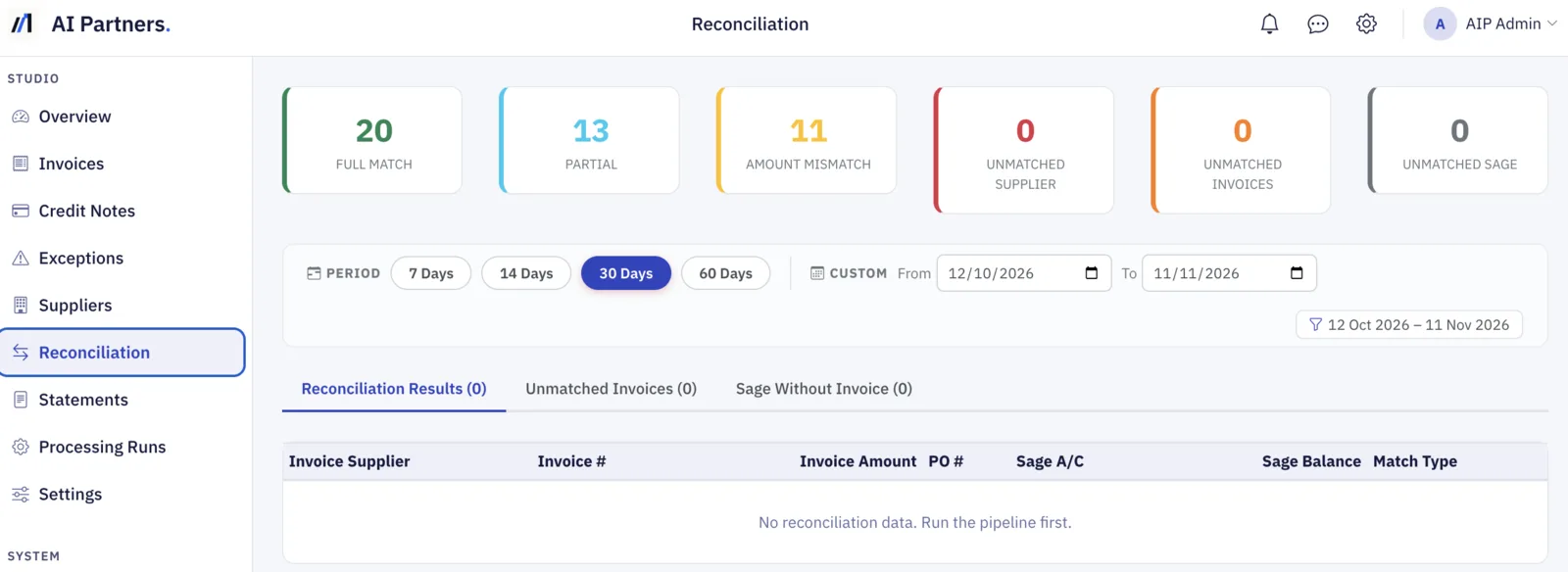
Catches duplicates two ways
By invoice number and supplier, and by the document itself. If the same PDF is sent twice it is flagged even if the invoice number was retyped.
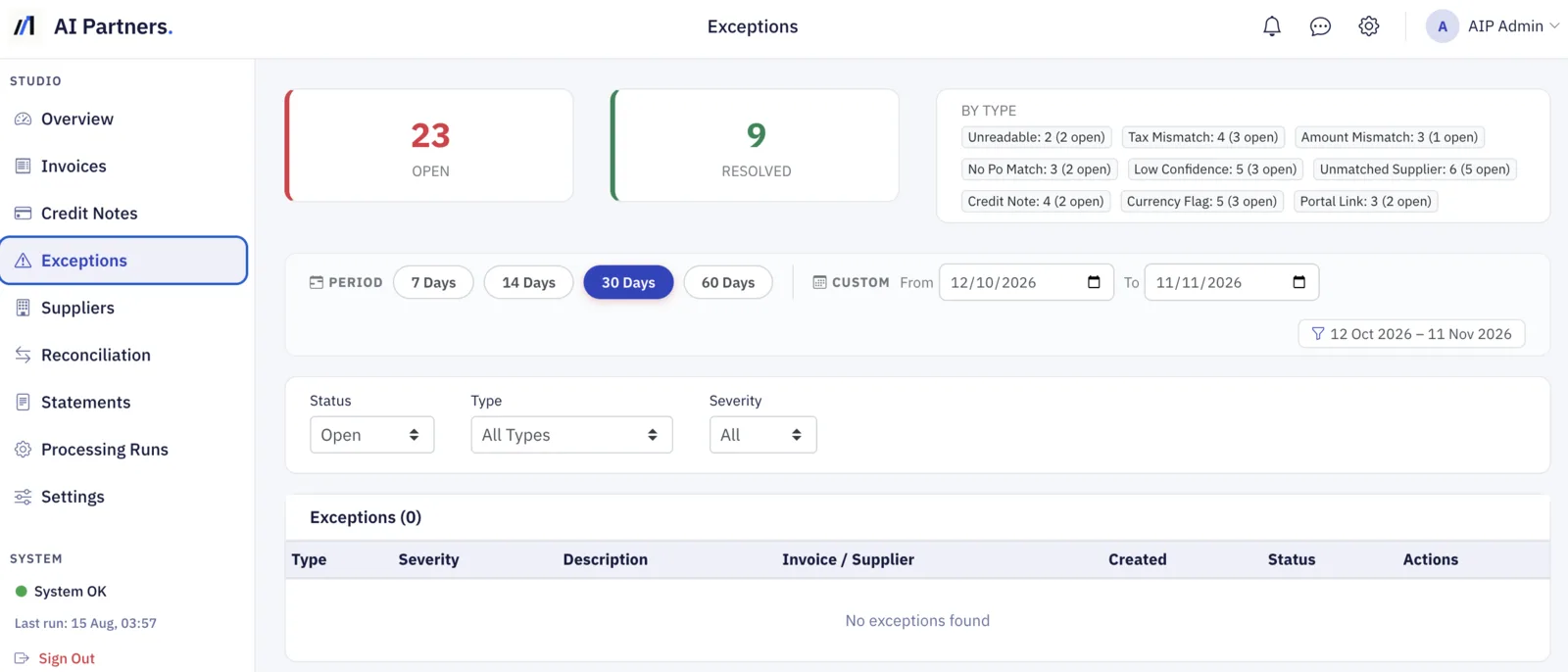
Raises clear exceptions
Anything that does not match cleanly becomes an exception with a reason, a severity and a status: unmatched supplier, PO not found, amount mismatch, tax mismatch, low confidence, duplicate, non standard currency. One actionable exception per noisy sender rather than hundreds. Exceptions a reviewer has dismissed stay dismissed on future runs.
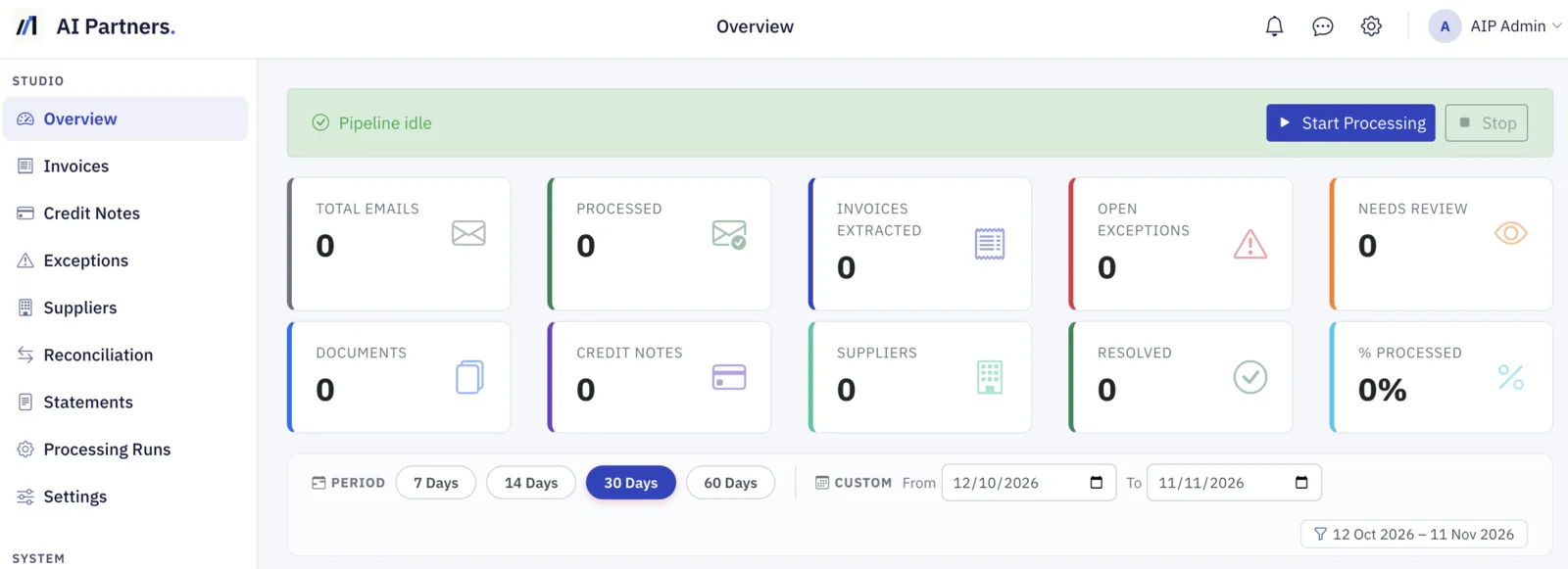
Gives the team a working queue
A browser dashboard shows what has been processed, what matched cleanly, what needs review and why. Reviewers approve, hold, dispute or escalate from the register. Approvers and admins have their own permissions, and every action is logged.
Ready for UAE e-invoicing
From 2027, UAE businesses send and receive invoices as structured e-invoices through an Accredited Service Provider (ASP). The ASP delivers the invoice. Intake from the ASP is scheduled for early 2027, starting with pilots, so the tool can sit behind it and do the checking: purchase order, goods receipt, ledger, duplicates and tolerances, before anything is paid.
See how it works for UAE businesses, including the deadlines and how we handle the process for you, from selecting a provider to checking every invoice.
How it works
- Connect your Microsoft 365 mailboxes for PDF invoices, through an Azure app registration your IT team controls, or, from early 2027, your Accredited Service Provider for structured e-invoices.
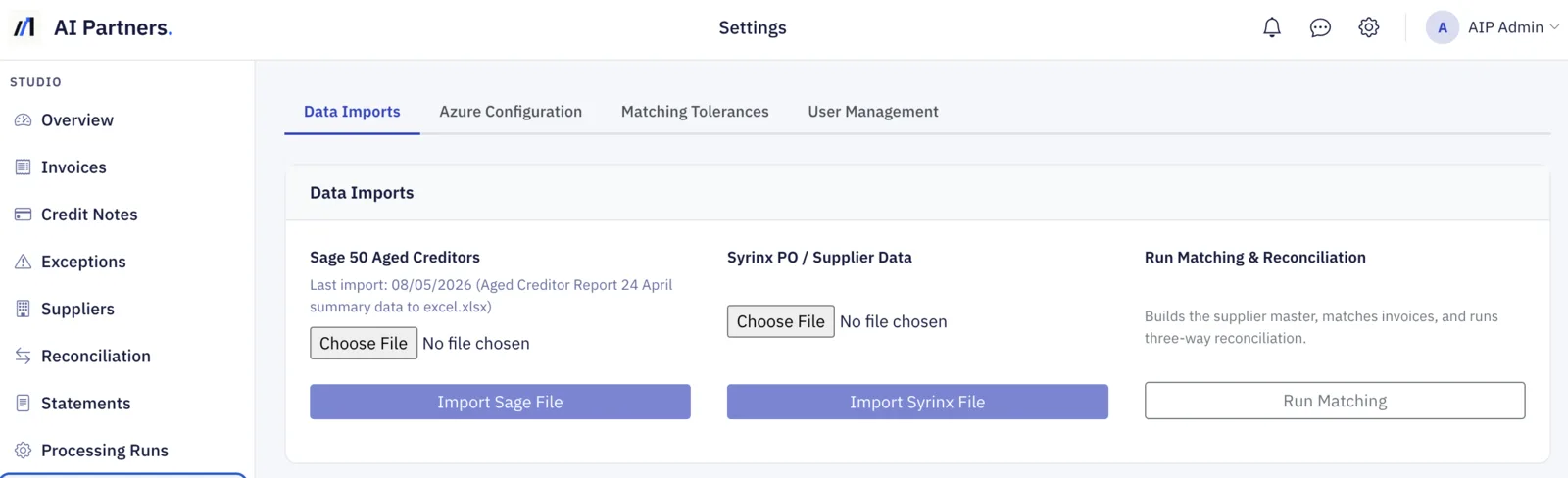
- Load your creditor ledger export and purchase order export. Sage and Syrinx are supported out of the box; other systems via CSV or Excel.
- Run on a schedule or on demand. The first run clears the backlog in bounded batches; later runs pick up only what is new.
- Review the matched list and the exception queue in the dashboard.
- Post approved invoices to your ERP.
Automatic posting back to the ERP, and automated supplier chasers for missing POs or receipts, are available as an extension once the core workflow is embedded.
What it connects to
- Email. Microsoft 365 and Exchange Online, via the Graph API. No forwarding rules and no manual downloads.
- UAE PINT AE e-invoices from your Accredited Service Provider. Scheduled for early 2027, starting with pilots.
- Document AI. Azure Document Intelligence, prebuilt invoice model, on your own Azure resource.
- Ledgers and ERPs. Purchase order and ledger exports from QuickBooks, Sage, Odoo, Microsoft Dynamics, Xero or any system by CSV or Excel.
- Notifications. Email and Microsoft Teams, as an extension.
UK note. Sage 50 aged creditors exports, in both standard formats, and Syrinx purchase order exports are supported out of the box.
Where it runs
Self hosted
Installed on a Windows server or VM inside your network. Invoice content, extracted data and attachments stay on that machine. Suits organisations with strict data residency requirements, or those who prefer to keep finance systems on premise.
Managed cloud
Hosted by AI Partners on dedicated infrastructure with SSL, role based access and daily backups. Nothing to install, accessible from any browser, no load on your own servers. Suits teams who want to be live quickly without IT involvement.
Both options use your own Microsoft 365 tenant and your own Azure Document Intelligence resource, so you keep control of credentials and usage whichever you choose.
What changes for the finance team
- Clean invoices identified without anyone opening a PDF.
- Duplicate payments stopped before they happen.
- Exceptions surfaced on the day they arrive, not at month end.
- Staff time moved from data entry to supplier relationships and cash management.
- A complete audit trail of what was received, what was matched and who approved it.
Getting started
- Discovery call to confirm mailboxes, ERP, ledger and volumes.
- Pilot on a defined sample of historic invoices, run against your real data.
- Validation with your accounts payable team, comparing the tool's output to their manual process.
- Go live on the deployment option that fits your data policy.
- Extensions such as ERP posting and supplier chasers, once the core workflow is embedded.
Bring a week of invoices to the discovery call and we will show you what the tool finds in them.
Common questions
On the self hosted option, no. Invoice content, extracted data and attachments stay on your own server. On managed cloud it runs on dedicated infrastructure, and either way it uses your own Microsoft 365 tenant and your own Azure Document Intelligence resource, so credentials and usage stay under your control.
Where to go from here
Tell us what you'd like to do with AI.
Plain English is fine. We'll ask the technical questions on the call, and if we're not the right fit we'll say so on the first one.